
How to Set up 401k Deductions in Paychex
NOTE: This guide is built based on customer experience & gathered knowledge, not direct data from Paychex payroll. Screenshots or procedures may differ from what you see in your account
Commonly needed 401k Deductions
☐ 401k EE Pretax
☐ 401k EE Catch Up
☐ Roth 401k EE
☐ Roth 401k EE Catch Up
☐ 401k Loan Payment
Adding Deduction Codes
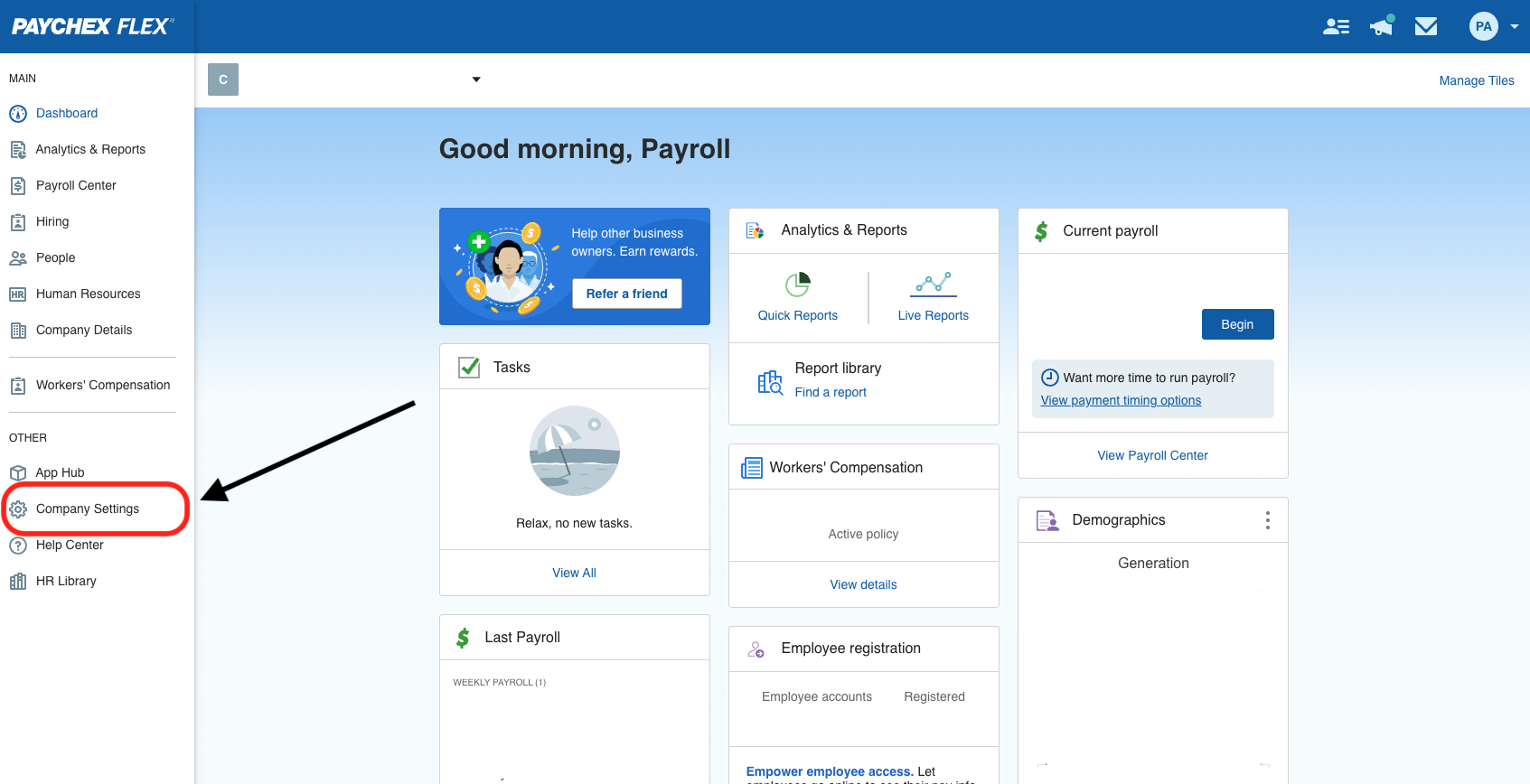
- Login to Paychex Flex with a Super Admin account and navigate to 'Company Settings' in the left-side toolbar
-
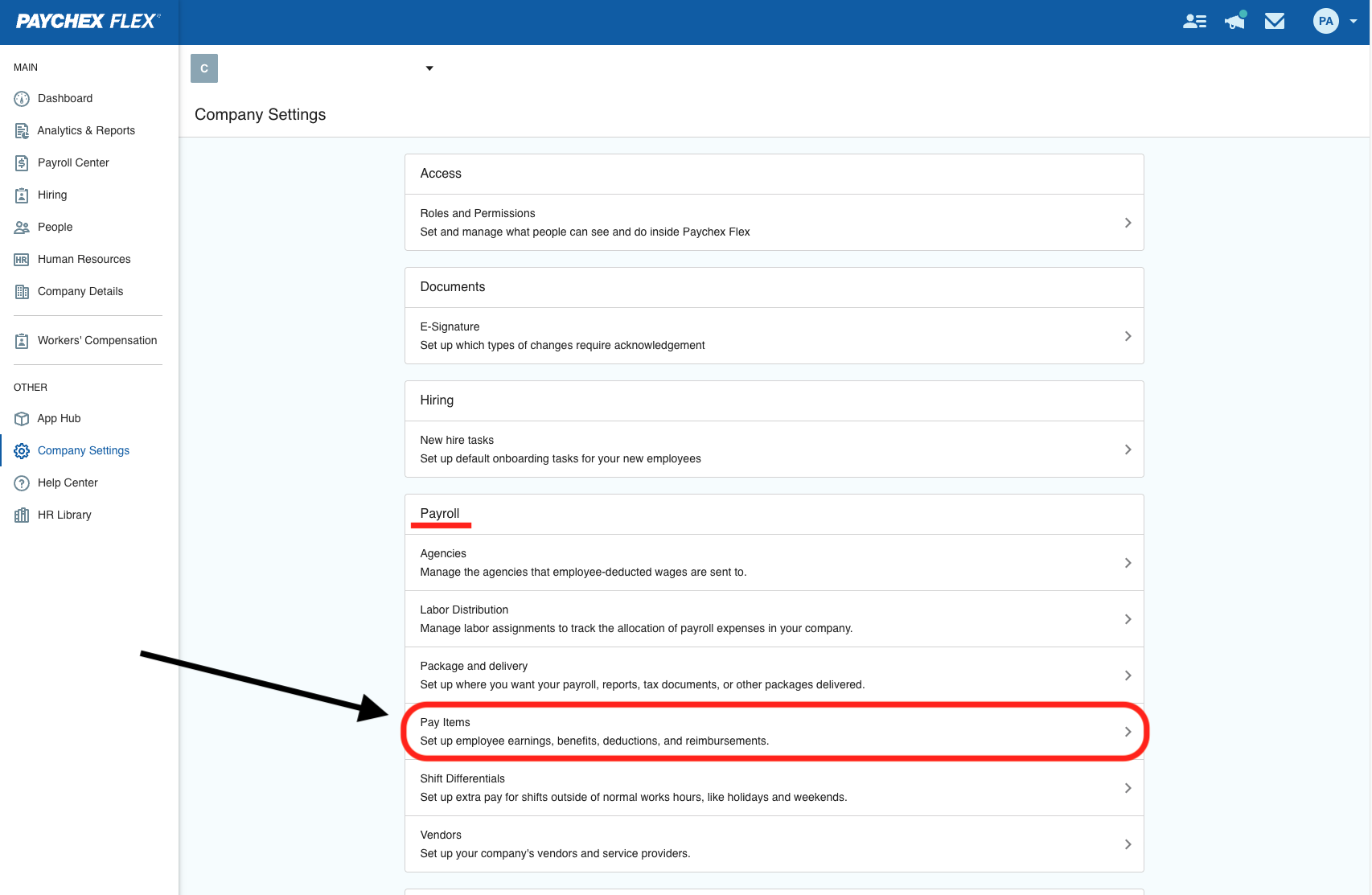
Under the 'Payroll' section, navigate to 'Pay Items'. NOTE: If you do not see this option, you likely do not have Super Admin access to set company-wide deductions.
-
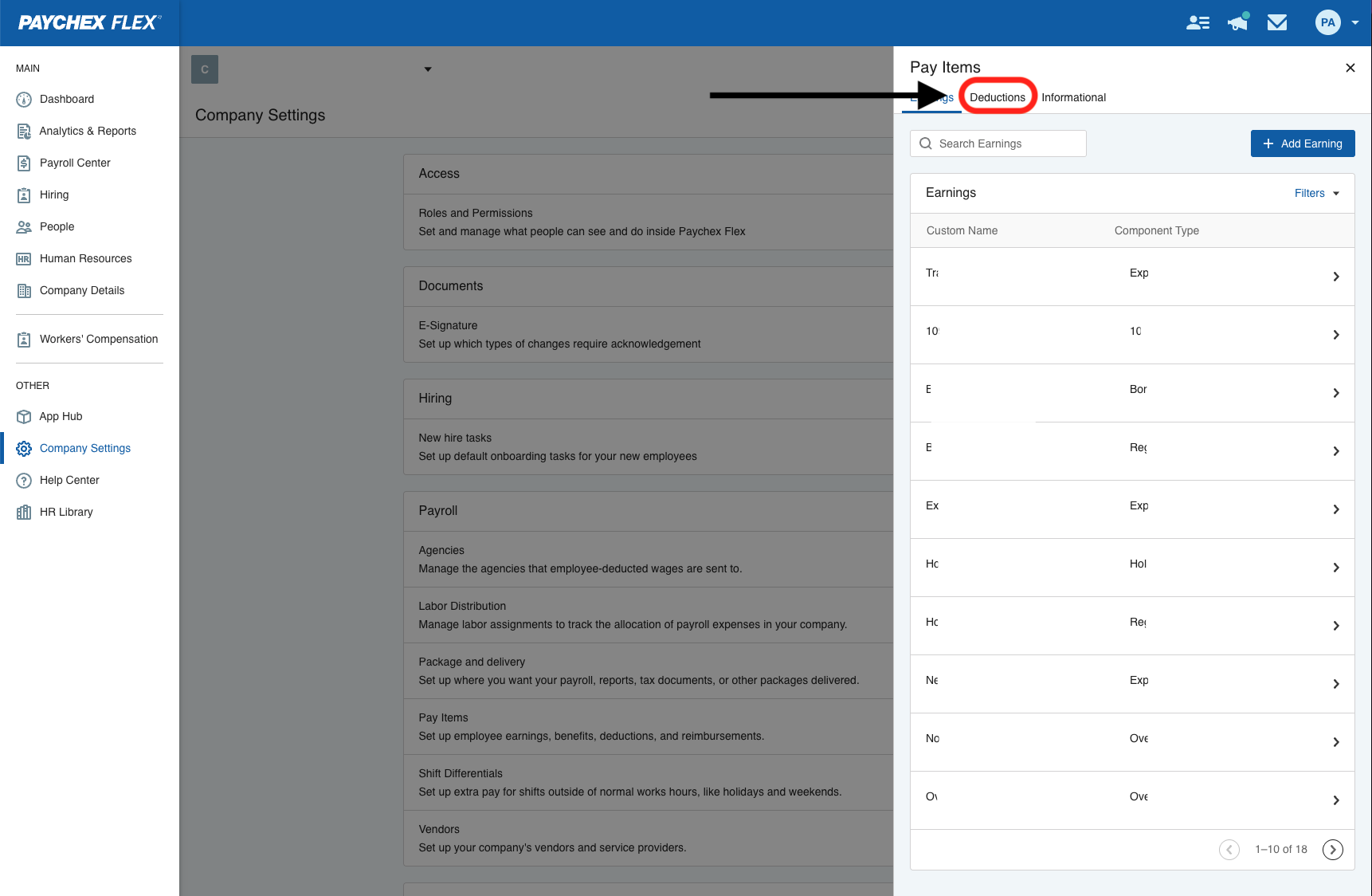
In the Pay Items window that pops up, click on the 'Deductions' tab.
-
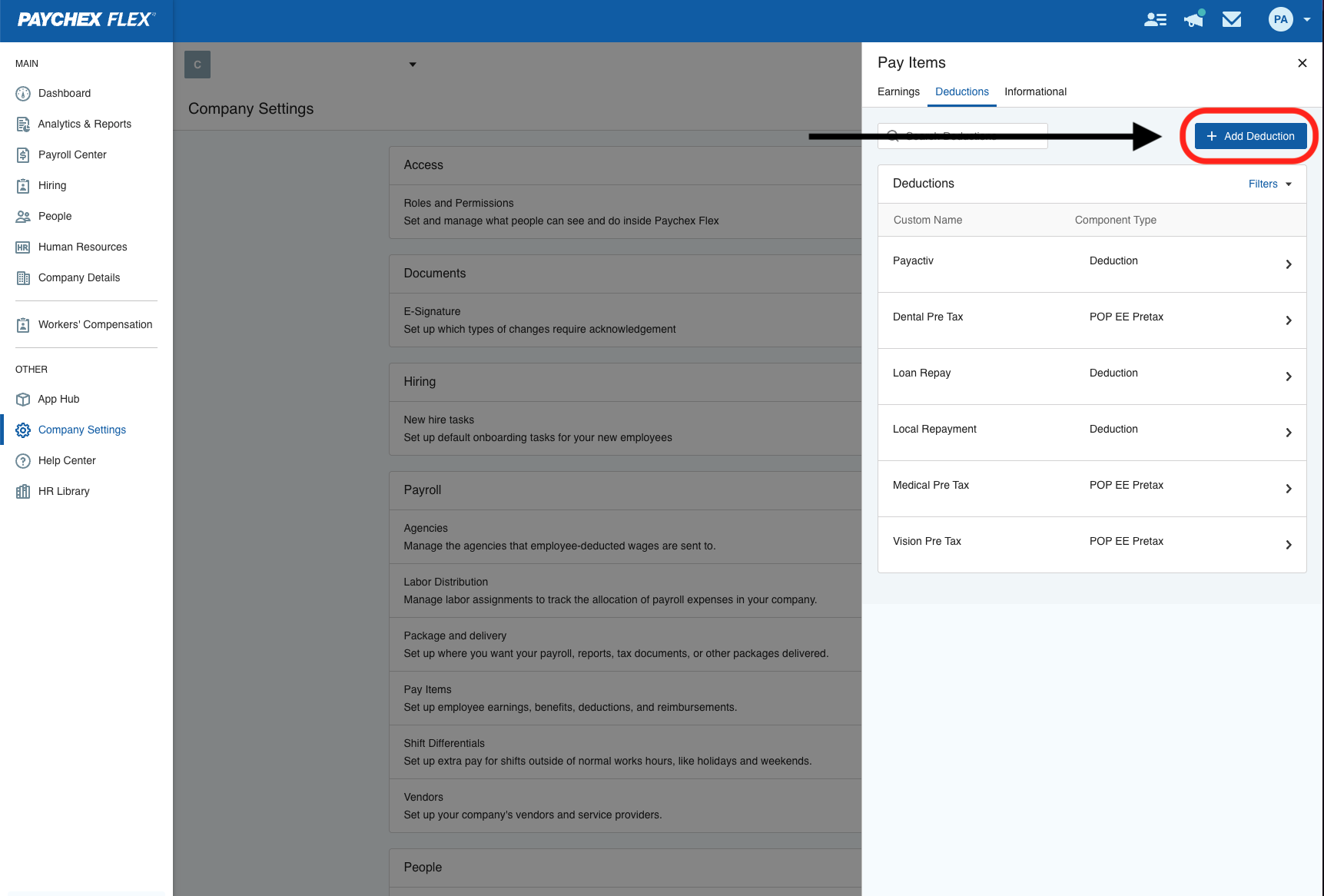
From the 'Deductions' tab view, click 'Add Deduction'
-
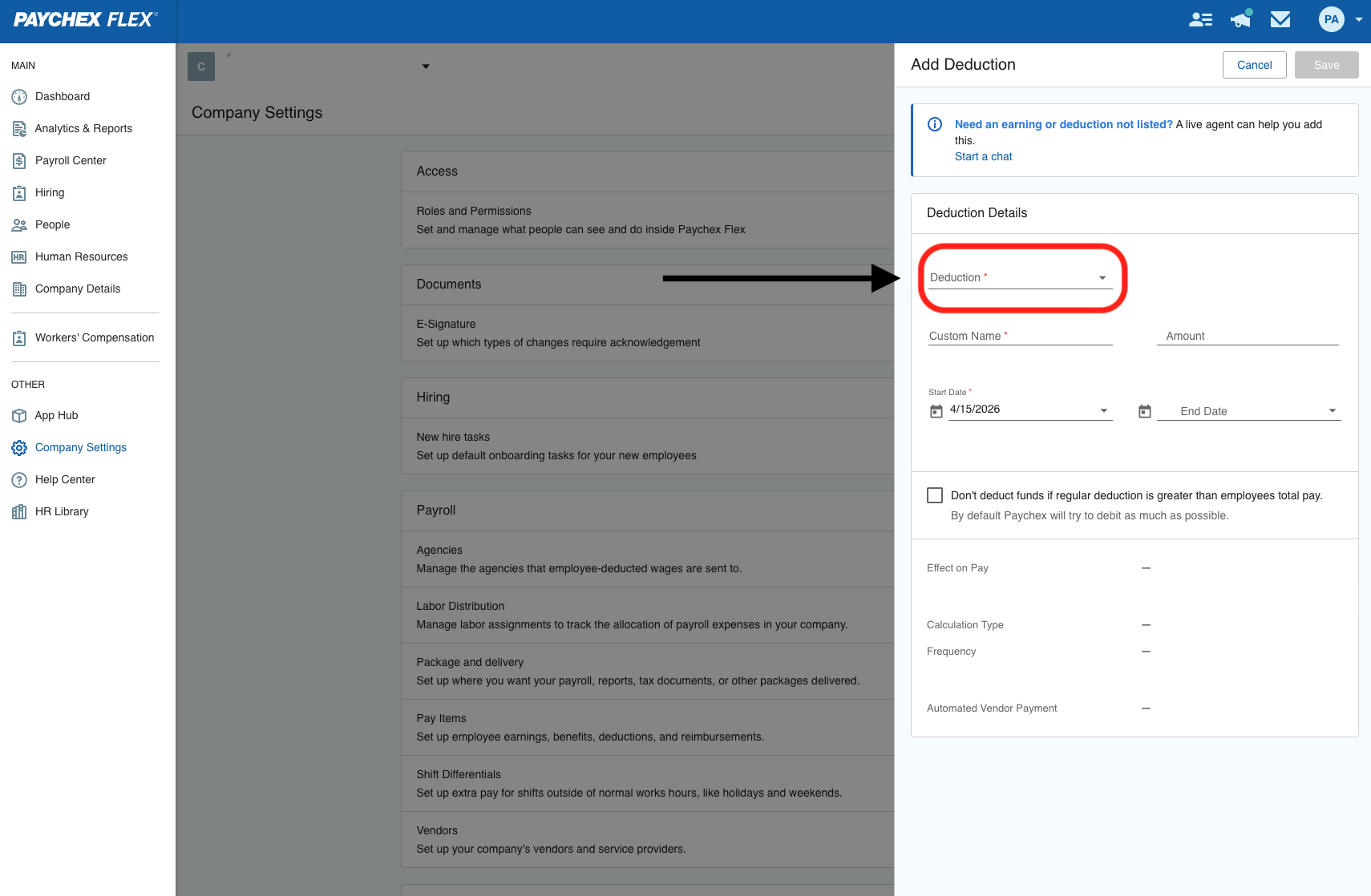
In the 'Add Deduction' window, select the top dropdown menu which lists 'Deduction' as the placeholder. This is where you will select your specific 401k item. NOTE: If you do not see any 401k pay item deductions listed under the deductions dropdown, those may need to be added to your account first.
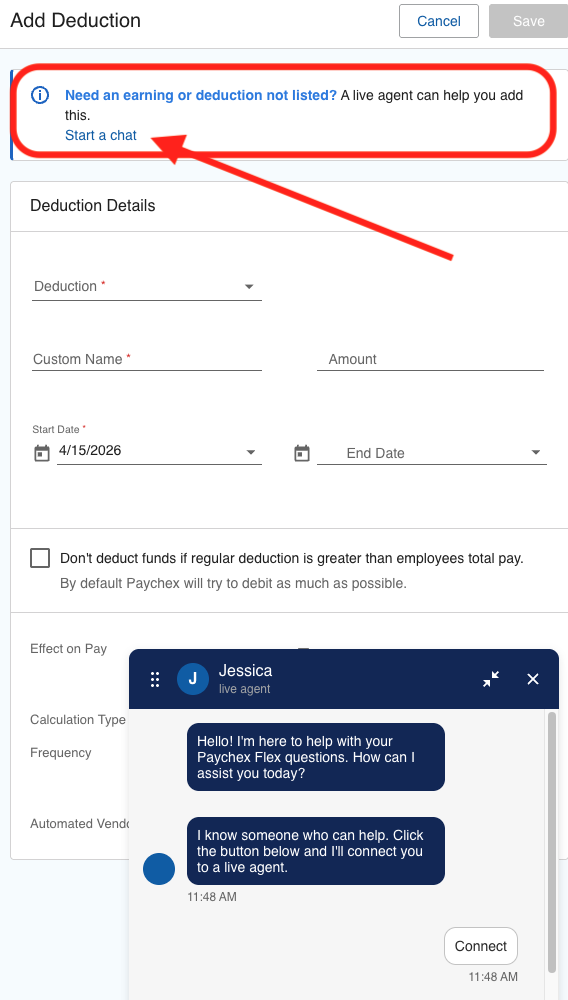
- If you do not see any Pay Items, you will need to click 'start a chat' to chat with a Paychex Flex agent and ask them to add those. Please reference the list at the top of this page or the list in the email you may have received from the Payroll Integrations team of what deductions are needed.
- If/when the Pay Item is available, select the desired item to build the deduction for. Add any following info such as amount & start date needed for this deduction.
- Once this is created, it can be added to any employee's Pay Profile so as to deduct from their paychecks
For any further assistance, please submit a help desk ticket here and we will get back to you as soon as possible.
Contact Us

Submit a Ticket
Submit a ticket and our team will respond as soon as possible!

Chat With Us
