
How to Find Your Paychex ID
To find your Paychex ID, log into Paychex using your normal log in credentials.
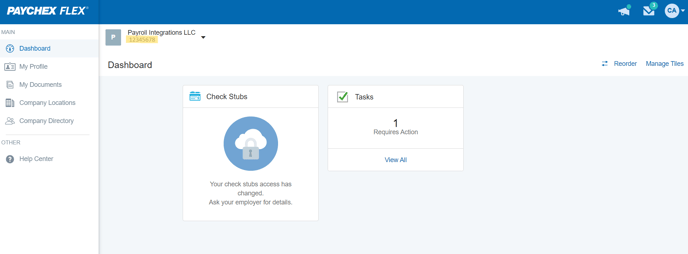
Once logged in, your ID should be listed in the top left corner of the screen. It is an 8 digit, alphanumeric code (example highlighted below).
For any further assistance, please submit a help desk ticket here and we will get back to you as soon as possible.
Contact Us

Submit a Ticket
Submit a ticket and our team will respond as soon as possible!

Chat With Us
